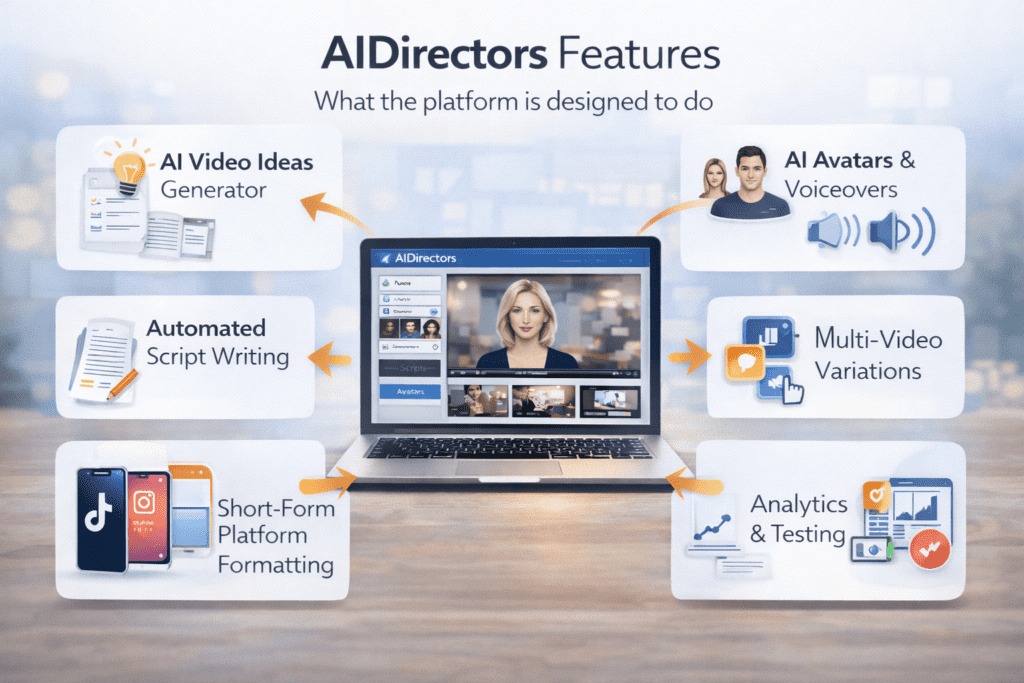
When people search for AIDirectors features, they’re usually trying to answer one core question:
What exactly does this platform help me do — and how much of the work does it really remove?
That’s a smart question. AI tools often sound impressive on the surface, but the real value is hidden in how the features work together, not just how many boxes are ticked.
So in this guide, I’ll walk you through the core AIDirectors features, explain why they matter in real-world use, and highlight where the platform genuinely saves time — and where it still expects human judgment.
This is a feature breakdown written for humans, not sales slides.
AIDirectors at a Glance: What Kind of Platform Is This?
Before diving into individual features, it helps to frame AIDirectors correctly.
AIDirectors is not a traditional video editor.
It’s not designed for cinematic storytelling or frame-by-frame control.
Instead, it’s a short-form AI video business platform built to automate:
- ideation
- scripting
- AI avatar videos
- voiceovers
- short-form formatting
In simple terms, it focuses on speed, consistency, and scalability, especially for UGC-style content.
If you want a broader evaluation of how this fits into an overall workflow, you can always return to the main AIDirectors review on the homepage, where everything is tied together in context.
AI Video Idea Generator (The Starting Point)
One of the most overlooked bottlenecks in content creation is the starting point.
AIDirectors includes an AI video idea generator that creates multiple content angles based on:
- your product
- your offer
- or your general idea
Instead of staring at a blank page, you’re given:
- hooks
- angles
- video concepts
Here’s what most people don’t know: consistency usually fails at the idea stage, not the editing stage. This feature alone removes a surprising amount of mental friction.
Automated Script Generation (UGC-Style)
Once an idea is selected, AIDirectors automatically generates short-form scripts designed to sound conversational rather than corporate.
These scripts are typically:
- concise
- benefit-driven
- paced for 15–60 second videos
They’re written in a UGC-style tone, which matters because polished ad copy often underperforms on platforms like TikTok and Reels.
To be honest, the scripts aren’t meant to be perfect on the first pass. They’re meant to be usable quickly, with light human review rather than full rewrites.
AI Avatars & Character Library
AIDirectors includes a library of AI-generated avatars designed to act as on-screen presenters.
These avatars:
- don’t require filming
- don’t require voice recording
- don’t require scheduling creators
The visual style is intentionally realistic but neutral. The goal isn’t to distract — it’s to simulate the feel of everyday UGC creators that audiences are already used to.
This feature is especially useful for:
- faceless content creators
- affiliate marketers
- users uncomfortable being on camera
Automated Voiceovers & Lip Sync
One of the more practical features is AI voiceover generation with automatic lip-sync.
You don’t need:
- a microphone
- recording software
- multiple takes
The system matches the voice to the avatar’s mouth movements, which makes videos feel more natural than basic slideshow-style AI clips.
This removes another major friction point for beginners: hearing their own recorded voice.
Storyboard & Scene Assembly
Instead of throwing visuals together randomly, AIDirectors builds videos using scene-based logic.
Each video is broken into:
- opening hook
- middle explanation
- closing CTA or takeaway
Scenes are assembled automatically based on the script and video style. You can reorder or adjust scenes if needed, but you’re not forced to build everything manually.
This structure helps ensure videos feel complete rather than rushed.
Short-Form Video Optimization (Platform-Ready Formats)
AIDirectors is clearly built with short-form platforms in mind.
Videos are automatically generated in formats suitable for:
- TikTok
- Instagram Reels
- YouTube Shorts
That means:
- correct aspect ratios
- proper pacing
- minimal wasted screen space
For anyone who has manually resized videos across platforms, this feature alone saves hours over time.
Multi-Video Variations for Testing
Instead of creating just one video, AIDirectors allows you to generate multiple variations from the same idea or script.
This supports a smarter content strategy:
- test different hooks
- test different tones
- see what resonates
Here’s the honest truth: most successful short-form strategies rely on volume and testing, not perfection. This feature aligns well with that reality.
Scheduling & Workflow Support
Consistency is often harder than creativity.
AIDirectors includes basic scheduling and workflow tools to help users:
- plan content in advance
- reduce daily decision fatigue
- maintain posting momentum
While it’s not a full social media management suite, it’s enough to support a steady publishing rhythm — which is what most people actually need.
Analytics & Performance Awareness (Lightweight)
Some versions of the platform include basic performance tracking, helping users see:
- which videos perform better
- which formats resonate
This isn’t enterprise-level analytics, but it’s enough to guide decisions without overwhelming beginners.
The goal is awareness, not data overload.
Who These Features Are Best Suited For
Taken together, AIDirectors features work best for people who:
- want to create short-form videos quickly
- prefer automation over manual editing
- value consistency more than creative control
- are testing offers, niches, or content ideas
If your priority is cinematic storytelling or long-form production, these features may feel limiting. But for UGC-style video output, they’re well-aligned.
What the Features Don’t Try to Do
This matters.
AIDirectors does not try to:
- replace professional editors
- create long-form YouTube documentaries
- automate strategy or audience research
Understanding this prevents disappointment. The platform replaces repetitive tasks — not thinking.
How the Features Work Together (The Real Value)
Individually, these features are useful. Collectively, they form a repeatable workflow:
- Generate an idea
- Turn it into a script
- Convert it into a video
- Publish consistently
That flow is the real product.
If you want to see how these features perform in a full evaluation — including pricing, pros, cons, and trust factors — you can return to the main AIDirectors review overview on the homepage for the complete picture.
Final Thoughts on AIDirectors Features
The strength of AIDirectors isn’t in any single feature.
It’s in how the platform:
- reduces starting friction
- speeds up execution
- encourages consistency
To be honest, that’s what most people struggle with when creating video content.
If your goal is to move from idea to publishable short-form video with fewer obstacles, the feature set makes sense. If you expect full creative control, it may feel restrictive.
Knowing which side you’re on is what makes this platform either useful — or unnecessary.
That clarity is more important than hype.